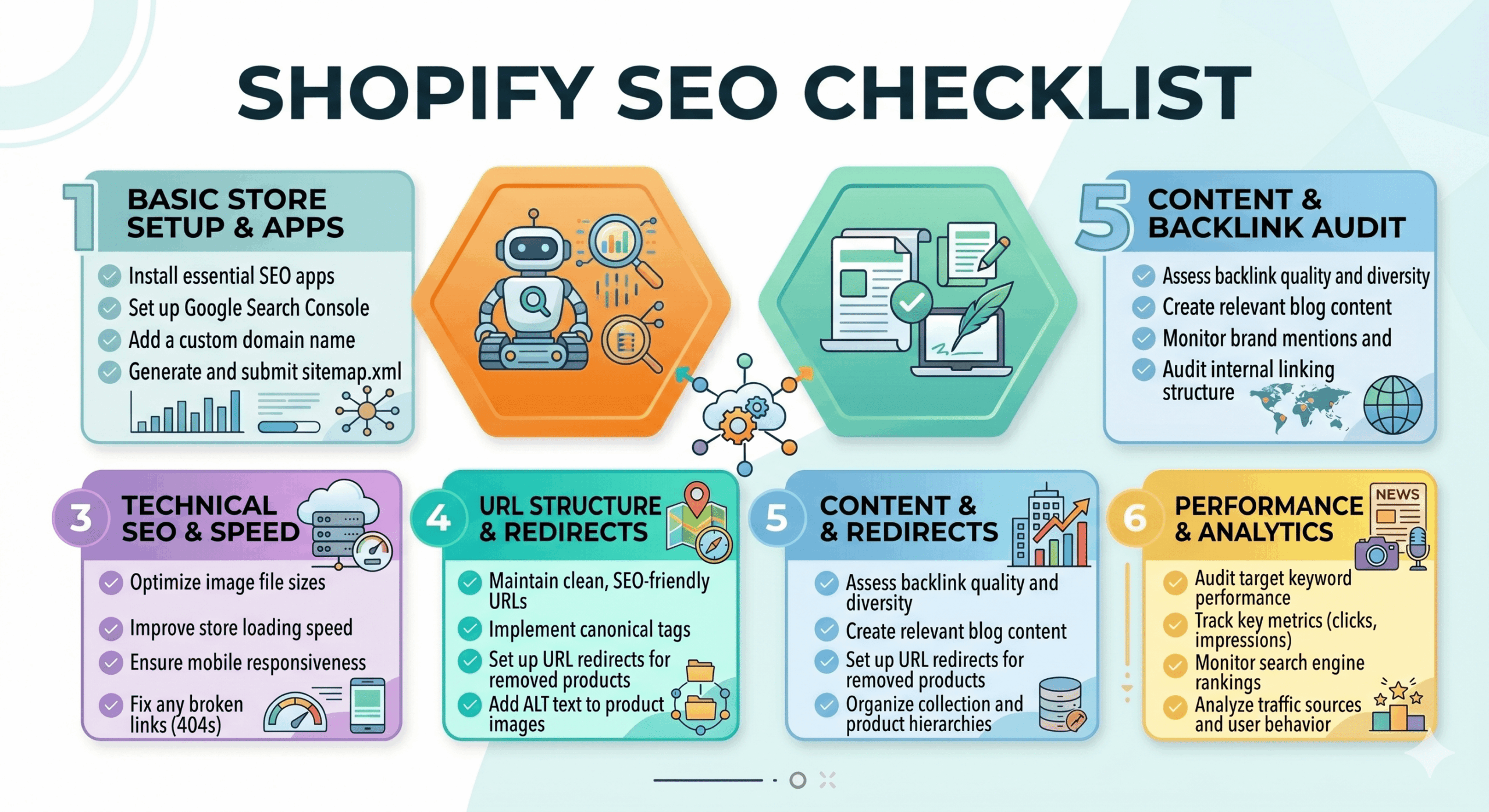
Shopify SEO Checklist
Table of Contents
Launching a Shopify store is an exciting milestone, but the “build it and they will come” mentality rarely works in the competitive world of e-commerce. To drive consistent, high-quality traffic without burning your entire budget on Facebook ads, you need a solid organic strategy. This comprehensive shopify seo checklist is designed for store owners and marketing managers who want to bridge the gap between having a beautiful site and actually getting found by customers. We will walk through every technical and creative step required to climb the search engine results pages (SERPs) and turn your store into a sales-generating machine.
Preparation Stage: Setting Up Your Shopify SEO Checklist
Before you start optimizing individual products, you must ensure your foundation is rock solid. SEO isn’t just about keywords; it is about how search engines crawl and interpret your data. Use these initial steps to set the stage for success.
- ✅ Set up Google Search Console: This is your direct line of communication with Google. It tells you which pages are indexed and which keywords are driving clicks.
- ✅ Install Google Analytics 4 (GA4): Use the native Shopify integration to track user behavior, conversion paths, and bounce rates.
- ✅ Choose a fast, mobile-responsive theme: Google prioritizes page speed. Avoid bloated themes with unnecessary features that slow down your mobile experience.
- ✅ Remove password protection: It sounds obvious, but ensure your store is “live” so search engines can actually see your content.
- ✅ Create a custom domain: Avoid using “brand-name.myshopify.com.” A clean, professional domain like “brandname.com” is essential for brand authority and SEO.
Planning Stage
Success in SEO is 80% strategy and 20% execution. You need to know exactly what your customers are searching for and how your competitors are positioning themselves. Use this stage to map out your site architecture.
- ✅ Keyword Research: Identify “commercial intent” keywords (e.g., “buy leather boots”) and “informational” keywords (e.g., “how to clean leather boots”).
- ✅ Analyze Competitor Backlinks: Use tools like Ahrefs or Semrush to see who is linking to your competitors and try to replicate those links.
- ✅ Map Keywords to Pages: Ensure every main keyword has a dedicated home on your site, whether it is a collection page, product page, or blog post.
- ✅ Design a Flat Site Structure: Make sure no page is more than three clicks away from your homepage. This helps link equity flow through your entire store.
- ✅ Identify Seasonality: Plan your content calendar around peak shopping periods like Black Friday or Valentine’s Day.
Creation Stage
Now it is time to build out your content. Content is the vehicle that carries your keywords to the search engine. This is where you apply the specific details of your shopify seo checklist to individual pages.
- ✅ Optimize Page Titles: Keep your titles under 60 characters and include your primary keyword near the beginning.
- ✅ Write Compelling Meta Descriptions: While not a direct ranking factor, a high click-through rate (CTR) from a good description signals value to Google.
- ✅ Draft Unique Product Descriptions: Never copy-paste manufacturer descriptions. Write original, benefit-driven copy that answers customer questions.
- ✅ Add Alt Text to Images: Search engines cannot “see” images. Use descriptive alt text to tell them what the photo represents, which also helps with Image Search.
- ✅ [ ] Implement the shopify seo checklist on blog posts: Every blog post should target a specific long-tail keyword to capture top-of-funnel traffic.
- ✅ Use Proper Header Tags: Ensure you only have one H1 tag per page (usually the product name) and use H2 and H3 tags to break up the body text.
Publishing or Execution Stage: Applying the Shopify SEO Checklist
Once your content is ready, you need to ensure the technical execution is flawless. Shopify handles some SEO automatically, but there are several manual tweaks that can give you a significant edge over other merchants.
- ✅ Optimize URL Slugs: Keep URLs short and descriptive. Avoid strings of numbers; use “/products/blue-denim-jacket” instead.
- ✅ Submit Your Sitemap: Locate your sitemap at “yourstore.com/sitemap.xml” and submit it to Google Search Console to speed up indexing.
- ✅ Fix Broken Links: Use a link crawler to find 404 errors. Use Shopify’s built-in redirect tool to point old URLs to relevant new pages.
- ✅ Enable Schema Markup: Use JSON-LD to provide Google with “Rich Snippets” like star ratings, price, and stock availability directly in the search results.
- ✅ Review Mobile Usability: Test your checkout flow on various mobile devices. A clunky mobile experience will tank your rankings.
Promotion and Follow-up Stage
SEO is never a “set it and forget it” task. You need to build authority and maintain the health of your store over time. This phase focuses on external signals and long-term site maintenance.
- ✅ Build High-Quality Backlinks: Reach out to bloggers, influencers, and industry news sites for mentions and reviews.
- ✅ Monitor Page Speed Performance: Use Google PageSpeed Insights regularly. Compress large images that may have been added recently.
- ✅ Update Content Periodically: Refresh old blog posts with new information and current dates to show Google your site is active and relevant.
- ✅ Track Keyword Rankings: Keep an eye on where you stand for your target terms. If a page drops in rank, investigate if a competitor has improved their content.
- ✅ Internal Linking: Link from high-authority pages (like your homepage) to newer or underperforming product pages to boost their visibility.
Pro Tips
If you want to go beyond the basics, these advanced strategies will help you dominate your niche and maximize your organic growth.
- Leverage User-Generated Content: Encourage customers to leave reviews with photos. This adds fresh, relevant text to your product pages automatically.
- Minimize App Usage: Every Shopify app adds a snippet of code to your site. Too many apps can significantly slow down your load times. Audit your apps monthly and delete what you don’t use.
- Focus on “Collections” SEO: For many stores, collection pages rank better than individual products. Treat your collection descriptions like mini-landing pages with 200-300 words of helpful content.
- Use Video Content: Hosting videos on YouTube and embedding them on product pages can increase “dwell time,” a positive signal for search engines.
- International SEO: If selling globally, use Shopify Markets to manage Hreflang tags, ensuring users see the version of your site in their local currency and language.
Conclusion
Executing a shopify seo checklist requires patience and consistency, but the rewards are well worth the effort. By focusing on technical health, high-quality content, and strategic keyword placement, you build an asset that grows in value over time. Unlike paid advertising, where traffic stops the moment you stop paying, SEO provides a compounding return on investment that can sustain your business for years to come.
Don’t try to tackle everything in a single day. Start with the Preparation and Planning stages, then work through your product pages one by one. Ready to see your traffic soar? Start auditing your store today and watch your search rankings climb!