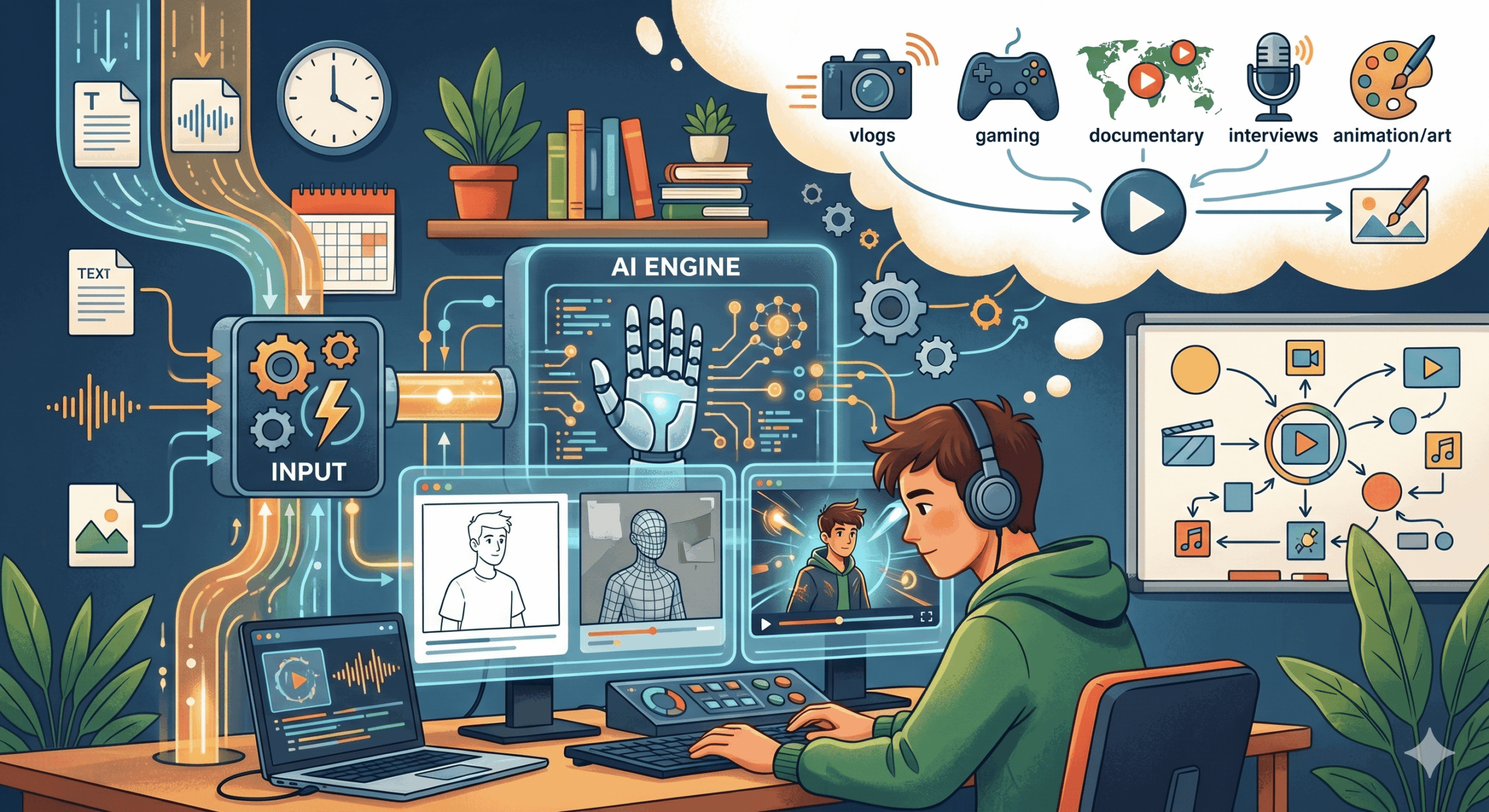
How to make ai videos
Table of Contents
The world of content creation is rapidly evolving, and at the forefront of this revolution is Artificial Intelligence (AI). If you’ve ever marveled at AI-generated art or sophisticated chatbots, you might be wondering: “Can I really make videos with AI? ” The answer is a resounding yes! how to Make AI videos has moved from a futuristic concept to an accessible reality for creators of all levels. Whether you’re a marketer looking to boost engagement, a storyteller wanting to visualize your ideas, or a business needing explainer content, AI video generation offers a powerful and efficient solution. This comprehensive guide will walk you through everything you need to know about how to make AI videos, covering the tools, techniques, and best practices to help you create compelling visual content.
The world of content creation is rapidly evolving, and at the forefront of this revolution is Artificial Intelligence (AI). If you’ve ever marveled at AI-generated art or sophisticated chatbots, you might be wondering: “Can I really make videos with AI?” The answer is a resounding yes! Making AI videos has moved from a futuristic concept to an accessible reality for creators of all levels. Whether you’re a marketer looking to boost engagement, a storyteller wanting to visualize your ideas, or a business needing explainer content, AI video generation offers a powerful and efficient solution. This comprehensive guide will walk you through everything you need to know about how to make AI videos, covering the tools, techniques, and best practices to help you create compelling visual content.
Understanding the Magic Behind AI Video Generation
Before diving into the “how-to,” it’s crucial to grasp the fundamental principles of how AI creates videos. At its core, AI video generation relies on sophisticated algorithms, primarily large language models (LLMs) and generative adversarial networks (GANs). LLMs understand and process text prompts, breaking them down into understandable components that the AI can then interpret. GANs, on the other hand, consist of two neural networks working in tandem: a generator that creates new data (in this case, video frames) and a discriminator that tries to distinguish between real and AI-generated data. Through this adversarial process, the generator learns to produce increasingly realistic and coherent video sequences.
Modern AI video generators often combine these techniques with extensive datasets of existing videos and images. This allows them to learn patterns, styles, and transitions. When you provide a text prompt, the AI accesses this learned knowledge to generate visuals that match your description. Some advanced tools also incorporate image-to-video or video-to-video capabilities, allowing you to guide the AI’s output based on existing visual assets.
Key Steps to Making Your First AI Video
The process of creating AI videos can be broken down into several straightforward steps. While the exact interface and features will vary depending on the AI video generator you choose, the general workflow remains consistent.
1. Choose the Right AI Video Generator
The market for AI video tools is exploding, offering a wide range of options with different strengths and price points. Your choice will depend on your specific needs, budget, and desired level of control. Some of the most popular and powerful platforms include:
- RunwayML: A comprehensive creative suite offering various AI-powered tools, including text-to-video, image-to-video, and video-to-video transformations.
- Pika Labs: Known for its user-friendly interface and impressive results, Pika Labs is a great option for beginners and intermediate users.
- Synthesys: Focuses on creating professional-looking videos with AI-powered avatars and voiceovers, ideal for business presentations and marketing.
- HeyGen: Another excellent platform for generating talking avatar videos, offering a wide selection of customizable avatars and languages.
- Pictory.ai: Specializes in converting written content (like blog posts or articles) into engaging videos, perfect for content repurposing.
- DeepMotion: A powerful tool for animators and game developers, allowing for AI-powered character animation from motion capture data or even just video footage
- LeiaPix Converter: While not strictly a video generator, it excels at creating stunning 3D depth effects from 2D images, which can be incorporated into video projects
When selecting a tool, consider factors like:
- Ease of use: Is the interface intuitive?
- Features: Does it offer text-to-video, image-to-video, style transfer, etc.?
- Output quality: How realistic and coherent are the generated videos?
- Customization options: Can you control camera angles, character movements, or visual styles?
- Pricing: Are there free trials or affordable plans
2. Craft Your Prompt (The Heart of AI Video Creation)
Your text prompt is the instruction manual for the AI. The more detailed and specific your prompt, the better the AI can understand your vision. Think of yourself as a director giving instructions to an actor or a visual artist describing a scene.
Here are some tips for writing effective prompts for AI video generation:
- Be descriptive: Instead of “a dog” try “a golden retriever happily running through a sun-drenched meadow.”
- Specify the style: Include artistic styles like “cinematic”,”anime”,”watercolor”,”realistic” or “cyberpunk.”
- Mention camera angles and movement: Use terms like “wide shot”,”close-up”,”pan left”, “zoom in” or “dolly shot.”
- Describe the mood and atmosphere: Words like “serene” “chaotic” “nostalgic,” or “futuristic” can guide the AI’s tone.
- Detail the action: Clearly state what should be happening in the video. For example, “a lone astronaut planting a flag on a red alien planet, wind blowing.”
- Consider the duration: Some tools allow you to specify the approximate length of the generated clip.
- Iterate and refine: Don’t expect perfection on the first try. Experiment with different wording and parameters to achieve the desired results.
Example Prompt: “A majestic dragon soaring over a snow-capped mountain range at sunset, cinematic, wide shot, dramatic lighting, 4K.”
3. Generate Your Video Clip
Once you’ve chosen your tool and crafted your prompt, it’s time to let the AI work its magic. Simply input your prompt into the designated text box and hit the generate button. The AI will then process your request and begin creating video frames. This process can take anywhere from a few seconds to several minutes, depending on the complexity of your prompt, the length of the video, and the capabilities of the AI model.
4. Review and Refine
After the initial generation, you’ll likely need to review the output. AI is not perfect, and you might find areas that need improvement. Most AI video platforms offer options to:
- Regenerate: If you’re unhappy with the result, you can often try generating again, sometimes with slight modifications to your prompt.
- Edit: Some tools provide basic editing capabilities, allowing you to trim clips, adjust playback speed, or add simple transitions.
- Upscale: Enhance the resolution and visual quality of your video.
- Add voiceovers or music: Integrate audio elements to make your video more engaging.
- Use image-to-video or video-to-video: If your initial text prompt didn’t quite hit the mark, you can often upload an image or a reference video to guide the AI further. For instance, you can use an existing image to define the composition or style of your AI-generated video.
5. Export and Share
Once you’re satisfied with your AI-generated video, it’s time to export it in your desired format (e.g., MP4, MOV). You can then share your creation across social media platforms, embed it on your website, use it in presentations, or incorporate it into larger video projects.
Advanced Techniques for Enhancing AI Videos
While basic text-to-video is a great starting point, several advanced techniques can elevate your AI video content:
- Image-to-Video: Upload a static image and use AI to animate it, creating dynamic visuals from still assets. This is fantastic for bringing logos, artwork, or product shots to life.
- Video-to-Video (Style Transfer): Apply the visual style of one video or image to another. For example, you could make a live-action clip look like an anime scene.
- AI Avatars and Voiceovers: Platforms like Synthesys and HeyGen allow you to create videos featuring AI-generated presenters. You can choose from a variety of avatars, customize their appearance, and have them speak your script in multiple languages. This is incredibly useful for training videos, explainer content, and personalized marketing messages.
- Storyboarding with AI: While AI can generate short clips, you might have a longer narrative in mind. You can use AI to generate individual scenes based on your script and then assemble them in a traditional video editor.
- AI for Animation: Tools like DeepMotion can take existing motion capture data or even just video footage of human movement and translate it into 3D character animations, streamlining complex animation workflows.
Best Practices for Using AI in Video Production
To get the most out of AI video generation and ensure your content is effective and ethical, keep these best practices in mind:
- Start with a clear vision: Know what story you want to tell or what message you want to convey before you start prompting.
- Focus on quality over quantity: A few well-crafted AI videos are better than many mediocre ones.
- Always review and edit: AI is a tool, not a replacement for human creativity and oversight.
- Be mindful of ethical considerations: Understand the potential for misuse of AI-generated content, such as deepfakes, and strive for transparency. Clearly label AI-generated content when appropriate.
- Experiment with different tools and prompts: The AI landscape is constantly evolving, so stay curious and explore new possibilities.
- Combine AI with traditional editing: Use AI for specific tasks (like generating backgrounds or animating objects) and then combine these elements in professional video editing software for a polished final product.
- Optimize for your platform: Consider where your video will be viewed and export it in the appropriate aspect ratio and resolution.
The Future of AI Video Creation
The capabilities of AI video tools are advancing at an unprecedented pace. We can expect to see more realistic visuals, greater control over the generation process, longer and more coherent video outputs, and seamless integration with other creative tools. AI will likely become an indispensable part of the video production pipeline, democratizing video creation and enabling new forms of storytelling and communication.
In conclusion, making AI videos is no longer a distant dream but a practical skill accessible to everyone. By understanding the tools, mastering the art of prompt engineering, and adhering to best practices, you can harness the power of AI to create captivating visual content that drives engagement and brings your ideas to life. So, dive in, experiment, and start creating.